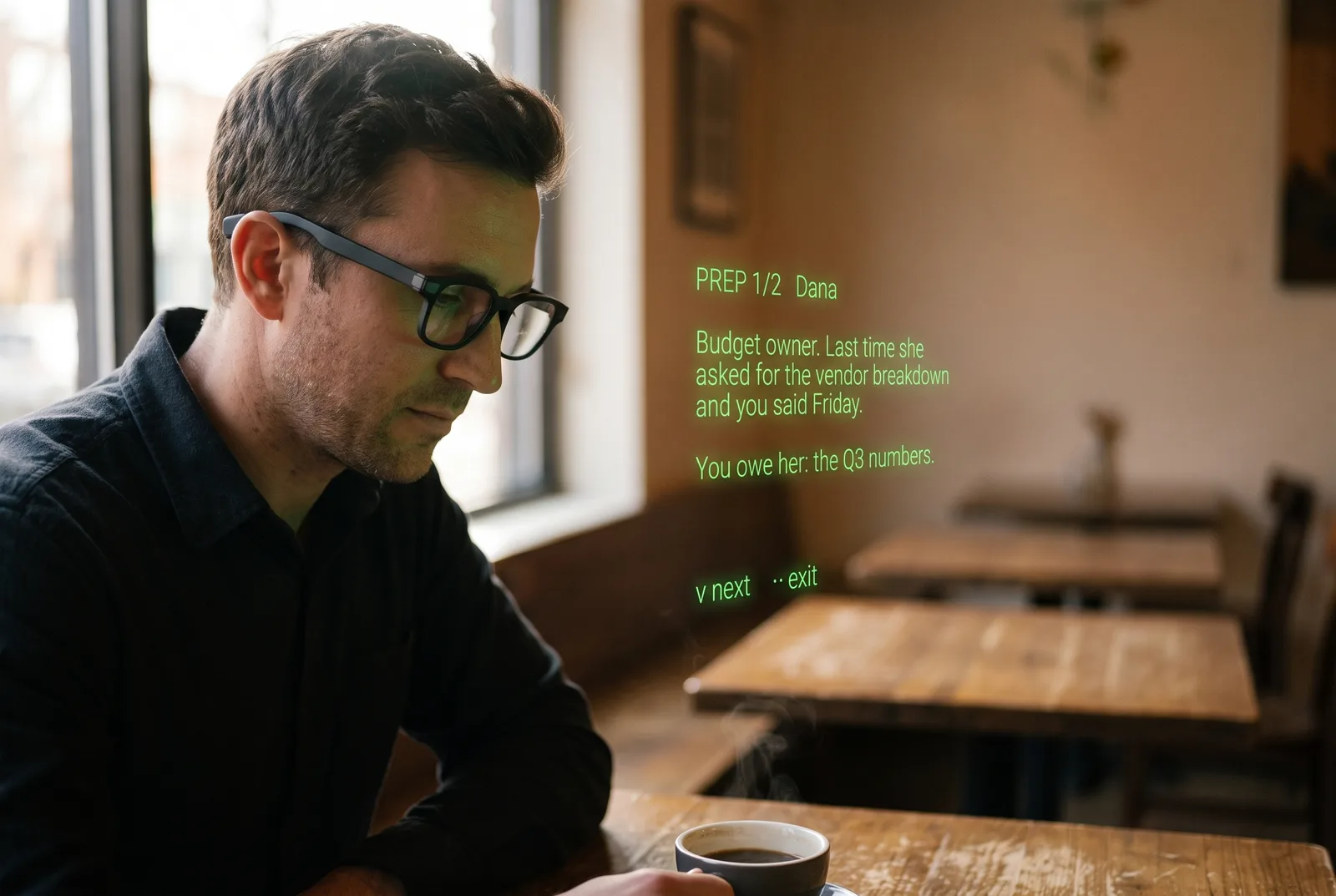
A man at a café table wearing Even Realities G2 glasses, reading the IRIS brief floating in front of him: PREP 1/2 Dana. Budget owner. Last time she asked for the vendor breakdown and you said Friday. You owe her: the Q3 numbers.

On the lens, before you ask.

Walk into every conversation already briefed, and walk out with it written up. A personal assistant on your Even Realities G2 glasses, visible only to you.

Your first three sessions run with everything on. No keys, no account, no card. After that it is $14.99 a month, or free on your own API keys.

“Honestly this app makes the purchase of these glasses worth it.”Lunden, who wears it eight hours a day for case management

A day, on the lens.

For anyone whose day is conversations: client meetings, back-to-back calls, a lecture hall, a clinic where hearing is the hard part.

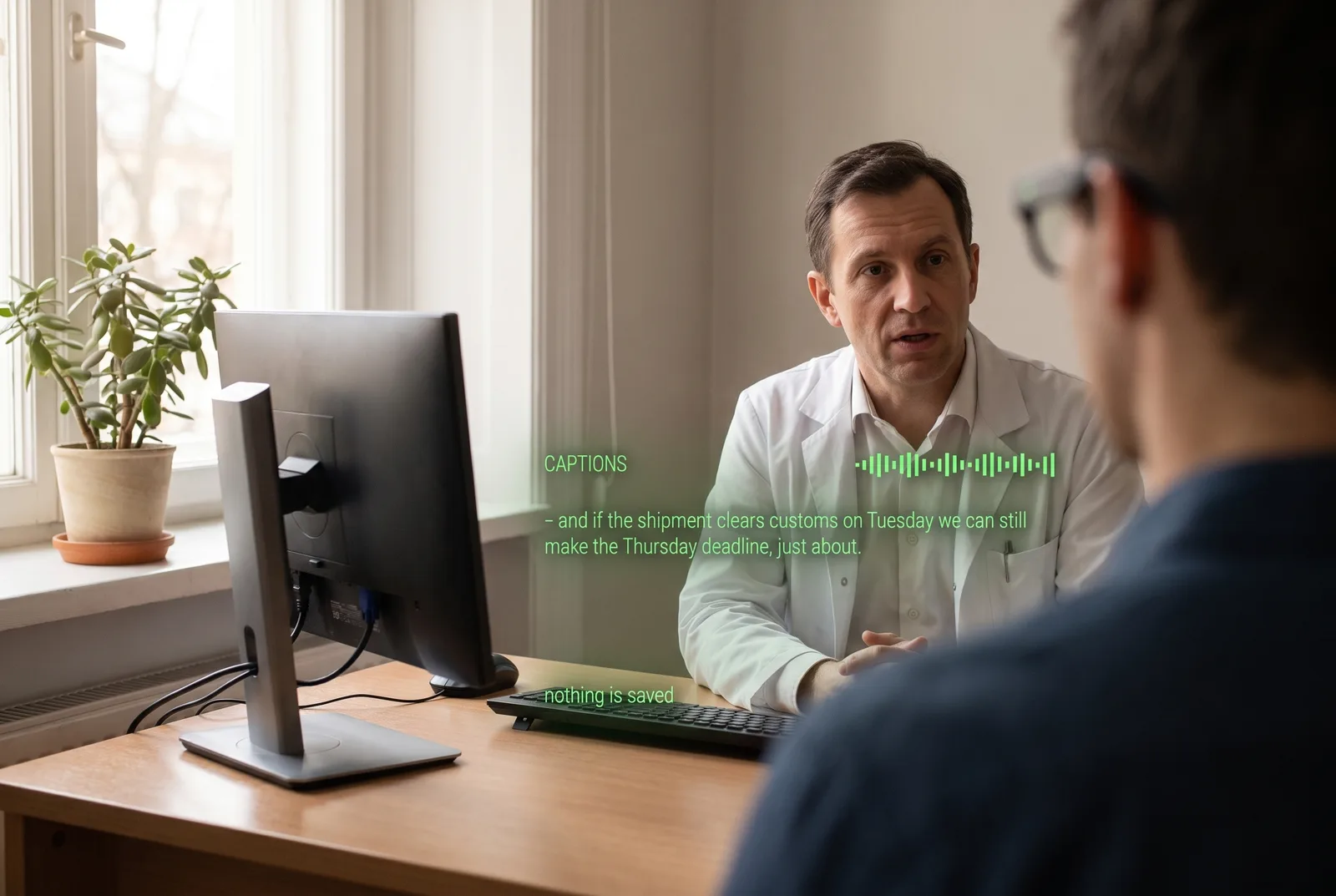
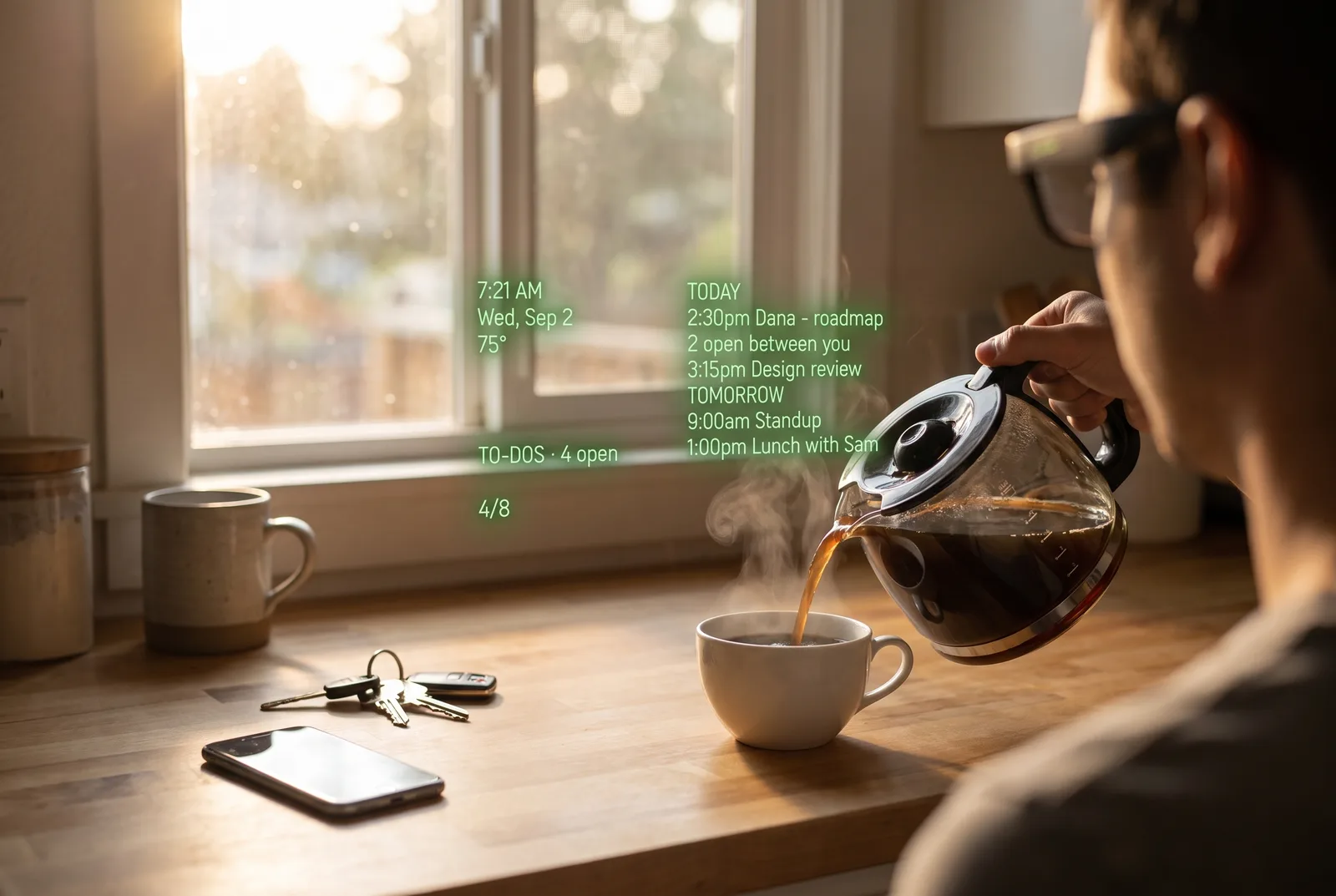
Seen through the glasses: a meeting room, three colleagues across the table. On the lens: REC MEETING. [ANSWER] The Q3 budget closed at 1.2M, up 9% - the vendor line is the growth. Below it: so what did q3 actually close at. Seen through the glasses: a founder across a café table, mid-pitch. On the lens: [FACT-CHECK] Close - the round was $40M, not $60M, and it closed in 2024. Checked live. Below it: we raised sixty million late last year. Seen through the glasses: a doctor across a desk. On the lens: CAPTIONS. - and if the shipment clears customs on Tuesday we can still make the Thursday deadline, just about. Nothing is saved. Seen through the glasses: leaving a glass meeting room, people gathering laptops. On the lens: [RECAP] Product sync, 41 min. Deck to Dana by Friday. Marcus owns pricing. Send Dana the Q3 numbers. Draft the roadmap slide. Book Marcus for Thursday. Saved to Obsidian, Drive, PDF. Seen through the glasses: a kitchen counter at 7:21 in the morning, coffee being poured. On the lens: today 2:30pm Dana, roadmap, 2 open between you. 3:15pm Design review. Tomorrow 9:00am standup, 1:00pm lunch with Sam. To-dos, 4 open. Seen through the glasses: a lecture hall from the back rows. On the lens: [EXPLAIN] Membrane potential, the charge difference across the inner membrane. It is what powers ATP synthase.

Every scene is seen through the glasses; the green text is IRIS’s own lens render.

  1. On the lens: [ANSWER] The Q3 budget closed at 1.2M, up 9% - the vendor line is the growth.

    The answer, before anyone opens a laptop.

    Someone asks what Q3 actually closed at. The number is on your lens while they are still asking.

  2. On the lens: [FACT-CHECK] Close - the round was $40M, not $60M, and it closed in 2024. Checked live.

    Checked while they are still talking.

    They say sixty million. She checks the live web mid-sentence: forty, and it closed in 2024. Only you see it.
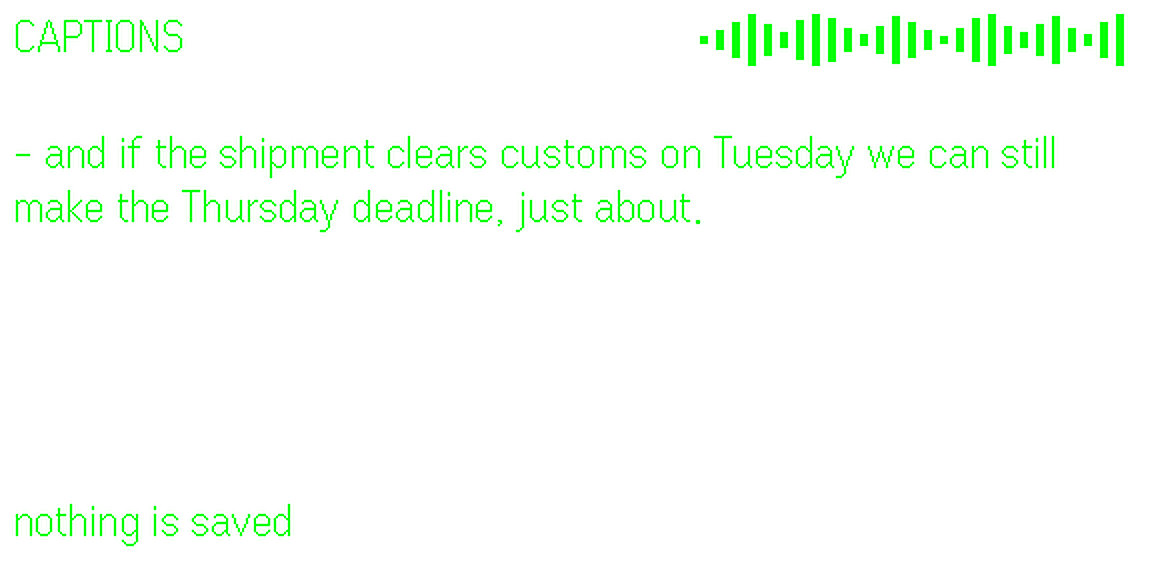
  3. On the lens: CAPTIONS. - and if the shipment clears customs on Tuesday we can still make the Thursday deadline, just about. Nothing is saved.

    Every word, when hearing is the hard part.

    Live captions put the room on your lens as it is said. Nothing is saved when you leave. Free on every plan.

  4. On the lens: [RECAP] Product sync, 41 min. Deck to Dana by Friday. Marcus owns pricing. Three to-dos, saved to Obsidian, Drive and PDF.

    Forty-one minutes, written up.

    The moment it ends: what was decided, who owns what, and the to-dos already saved to Obsidian, Drive or a PDF.
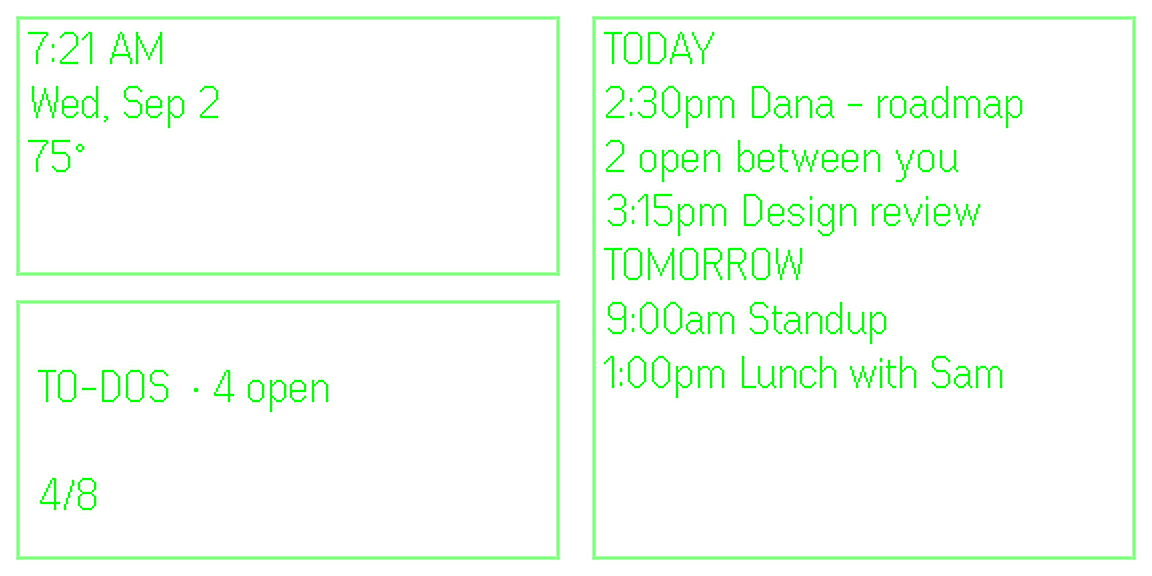
  5. On the lens: today 2:30pm Dana, roadmap, 2 open between you. 3:15pm Design review. Tomorrow 9:00am standup. To-dos, 4 open.

    The next morning.

    Look up and it is your day: what is on, what is still open with whom, and the four to-dos from yesterday.

  6. A different room, a different IRIS.

    In a lecture she defines terms as they go by and keeps the vocabulary for later. A sales call, a clinic, a class: each has its own mode, and a sentence is enough to make one.
The lens shows a dot the whole time a session is running. By default IRIS keeps the transcript and the summary, not the audio.

Before you record, let the people you are with know, and get their okay. What leaves your phone, and what does not.

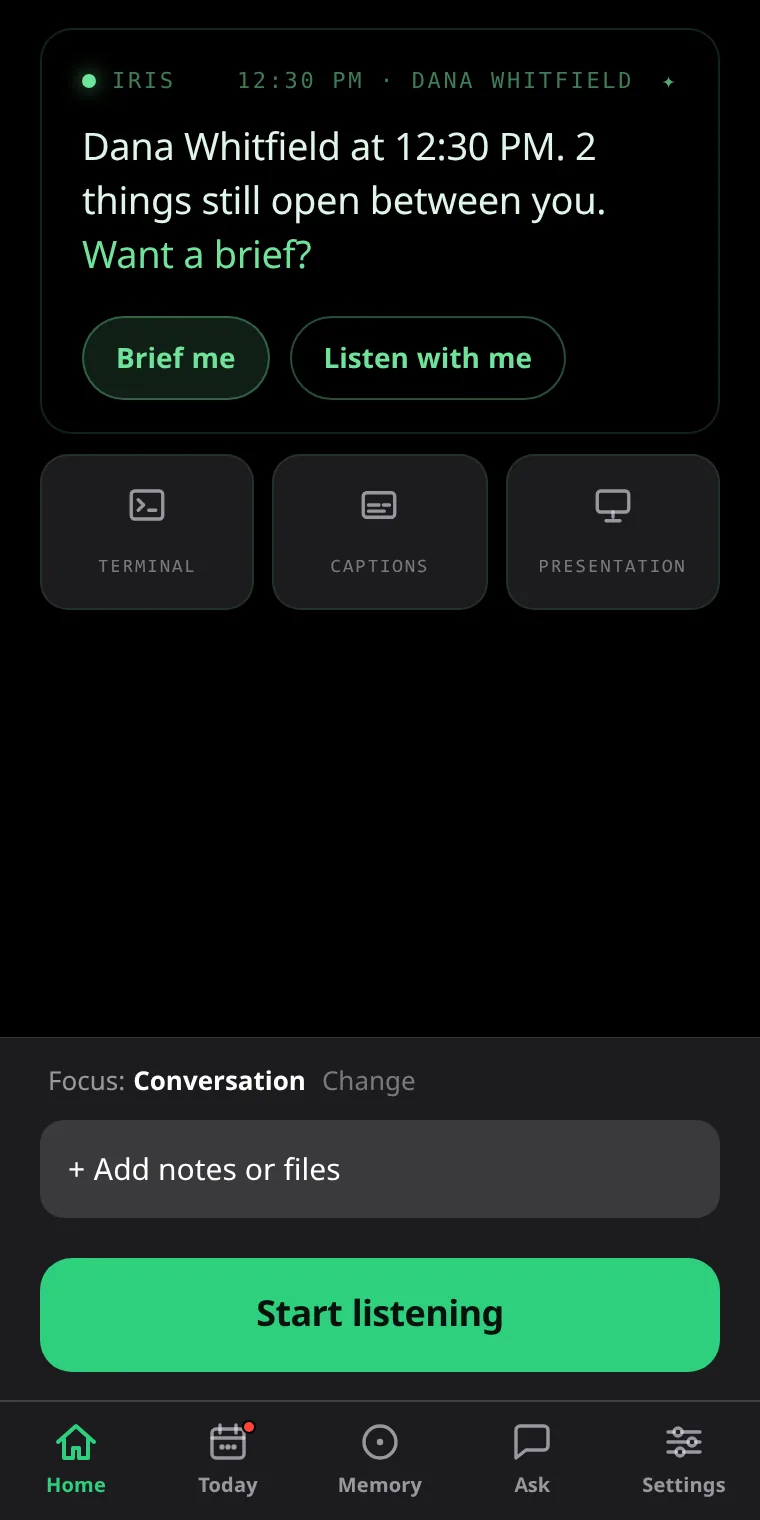
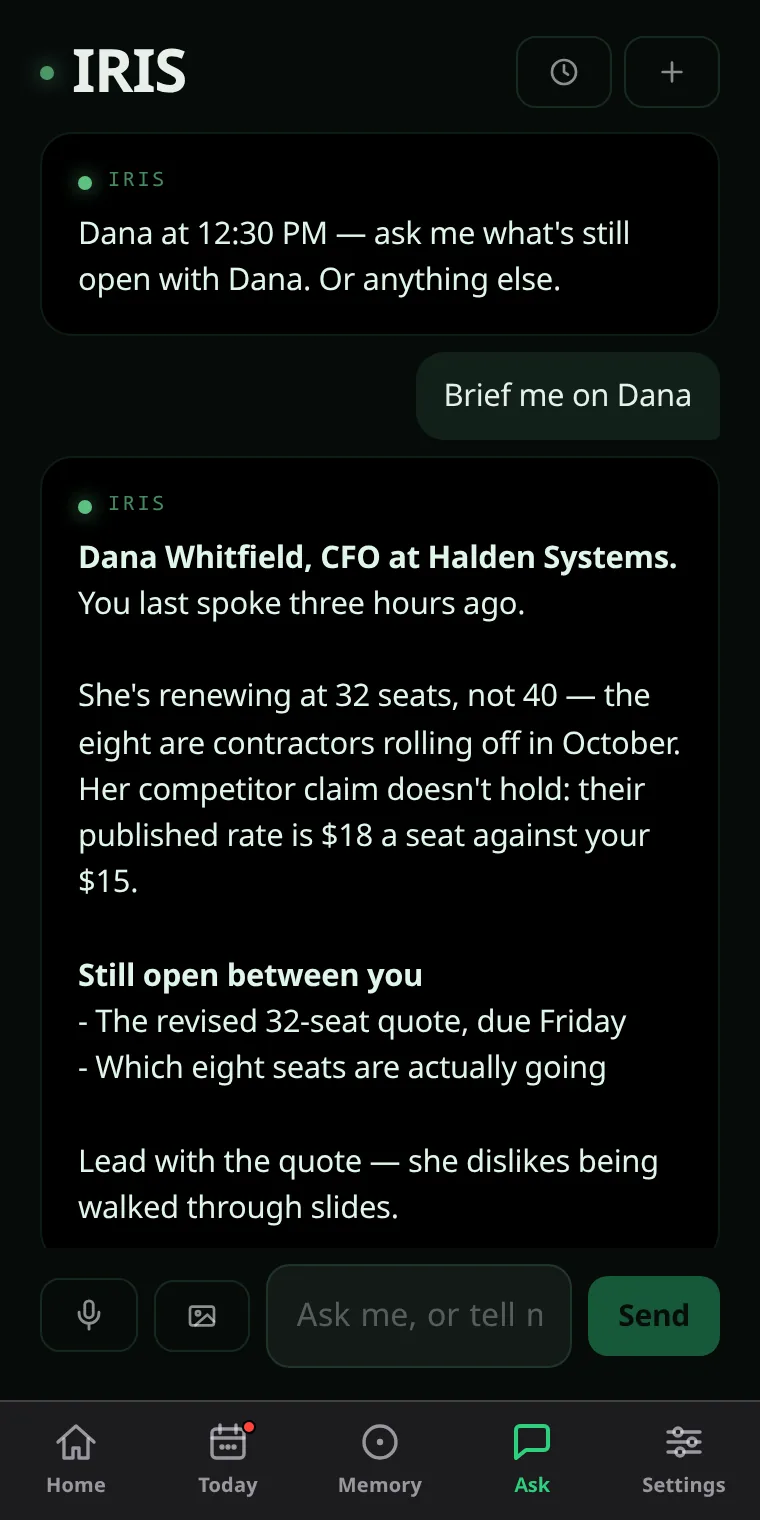
The IRIS home screen: Dana Whitfield at 12:30 PM. 2 things still open between you. Want a brief? Brief me. Listen with me. The Ask tab: Brief me on Dana. IRIS answers with who she is, what changed since last time, what is still open and how she likes to be handled.

Take the glasses off. It is already written up.

A titled summary, key points, action items you can tick off, and a searchable transcript with names down the side. Export it to PDF or Word, or let her draft the follow-up email. You send it.

Ask “what did I promise Dana” and she answers from every session you have recorded.

She remembers people, not just words.

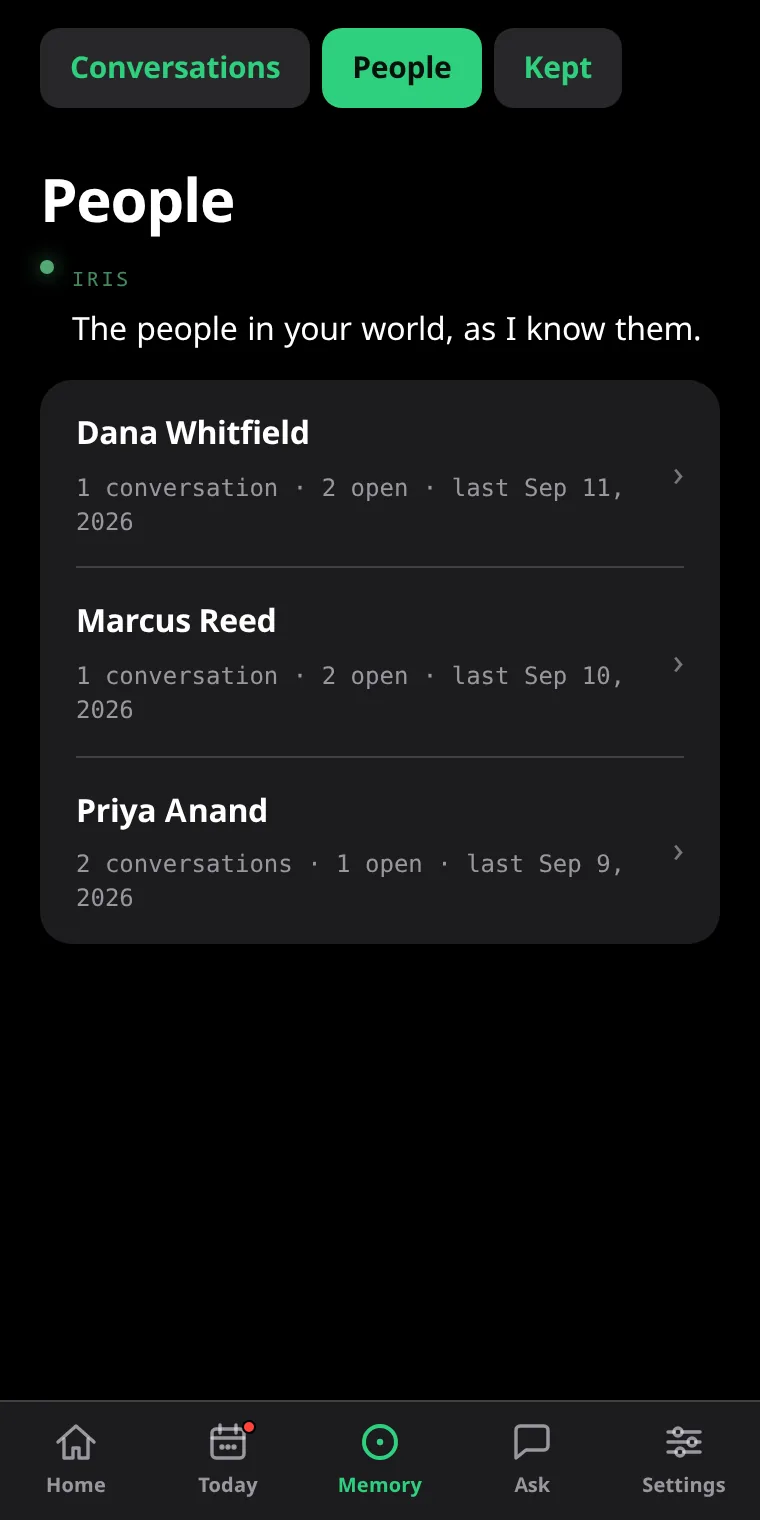
Every person gets a page: what you talk about, what is still open between you, when you last spoke. Ask her to brief you before you see them. Correct her like a person and she fixes what she saved.

A private mode keeps a client’s memories in their own room, never surfacing anywhere else.

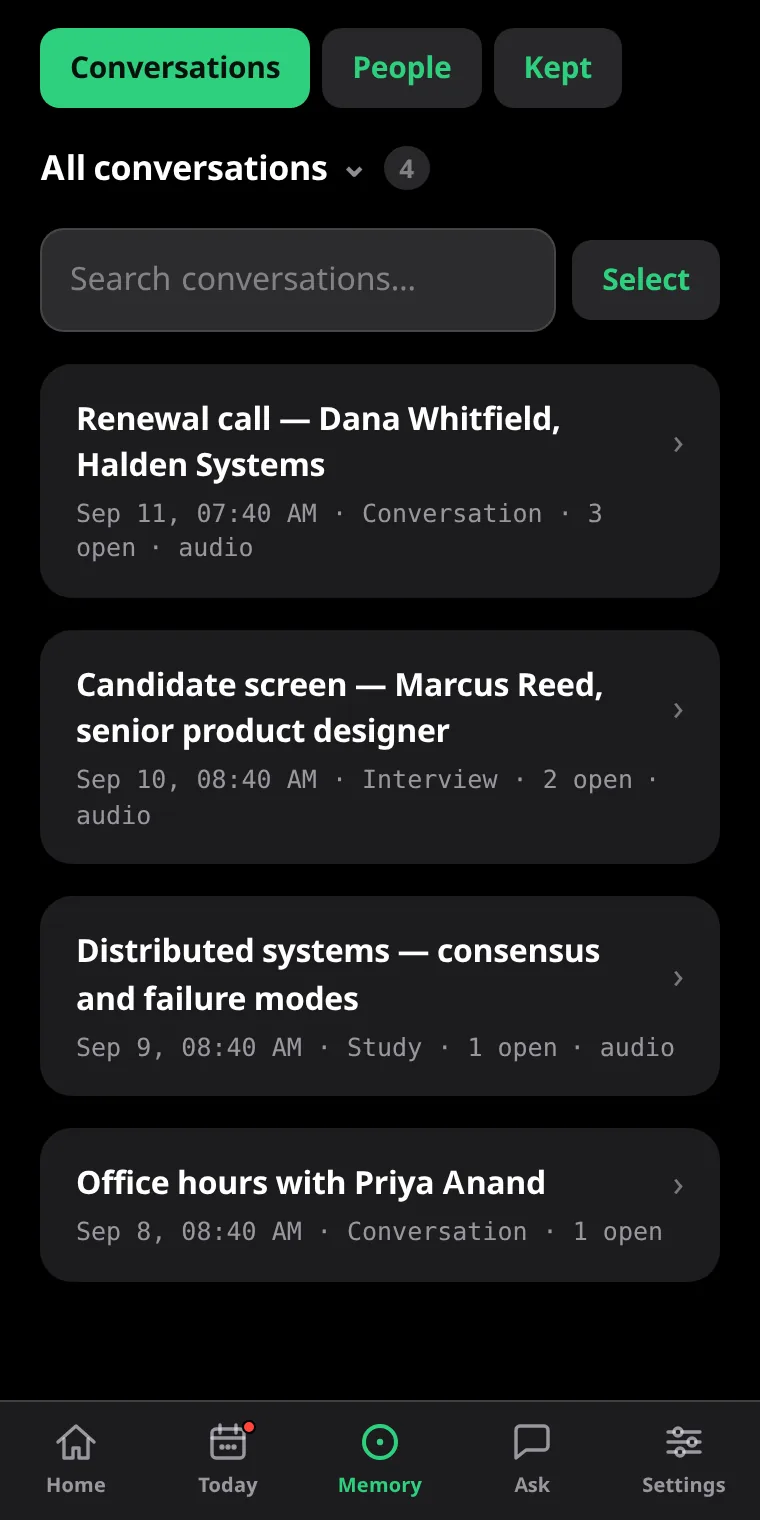
The People room: Dana Whitfield, Marcus Reed and Priya Anand, each with how many conversations, what is open and when you last spoke. The Conversations list: Renewal call with Dana, Candidate screen - Priya, Product sync, Parent evening, each with its date, mode and open items.

What she will not do.

Something on your face that listens has to be trustworthy. These are not settings. They are how she is built.

Listen ahead of you.

A session starts because you started it, and the lens shows a dot the whole time it is running.

Send anything in your name.

She drafts the follow-up email and leaves it in your hands. Nothing goes out unread.

Open a lock without asking.

Locks, doors, alarms and cars always ask first, with a tap on your phone.

Invent an answer.

When she does not know, she says so, and names which of your own sources would have known.

“I use this app 8 hours a day pretty consistently with multiple sessions for 30 mins to 2 hours with my clients doing case management work. Honestly this app makes the purchase of these glasses worth it.”

Lunden, case management, in the IRIS Discord, 18 July 2026

“You’ve built something pretty special with IRIS that I can’t seem to replicate on another AI note taking app.”

hedgehog, IRIS Pro subscriber, 18 July 2026

“Let me say it once more, it works phenomenally. This might be the best app released so far. Really a strong use case for the G2!”

AdaLovelace, from launch day, 10 June 2026

Asked in the Discord. In the beta the same day.

IRIS is one person. Betas go out most days. When the platform blocks a request, you are told that instead.

  1. RequestAskedIn the beta
  2. “Can we get a Clear button added to the Prep Notes section?”10:3211:30, same day
  3. “Is there a way for me to go back and tag speakers later on?”3:17 pmthat evening
  4. “Add Google Tasks as an optional integration, two-way.”Friday, 7 pm2 am, syncing

Free to try. Nothing to configure.

Pro is the price of the AI and speech recognition IRIS uses, plus the parts that need an account: briefings, live search, recordings, your own agent. Everything else is free, on your own keys, for as long as you like.

Free

$0three sessions with everything on, then your own API keys

  • Live cues, answers and fact-checks on the lens
  • Live captions, always free, no keys needed
  • Summaries, action items, transcripts
  • Memory, people pages, Ask
  • Who said what

Pro

$12.50a month billed yearly at $149.99, which saves 17%. Or $14.99 month to month.

  • Everything in Free, with the AI and speech recognition included
  • Briefings, to-dos, calendar and reminders
  • Live web search behind your cues
  • Obsidian, Google Tasks, Todoist, Documents, your own agent
  • Your house and your car by voice

Your first three days of Pro are on us. Cancel any time in PayPal. Full refund within 14 days of your first charge.

The full Free and Pro table. IRIS and Conversate compared.

Before you install.

What if IRIS is not right for me?
Cancel in PayPal, any time. If it is within 14 days of your first charge you get the whole charge back. IRIS keeps working on your own API keys, and nothing on your phone is deleted.
What do I need to run IRIS?
Even Realities G2 glasses and the Even Hub app on your phone. Install IRIS, open it, tap Start. There is no account.
Is anything recorded?
Only if you turn session recording on. By default IRIS keeps the transcript and the summary, not the audio. Captions save nothing. The detail is in the privacy policy.
What happens after my three free sessions?
Nothing is taken away. Start a Pro trial, or paste your own AI and speech keys in Settings and keep using IRIS for free. You pay those providers directly; Groq and Gemini have free tiers.
Does it work on my phone?
iPhone and Android, through the Even Hub app the glasses already use. IRIS runs inside it; there is nothing else to install.
What languages does she work in?
Most major languages, and a session can move between two. The lens renders Latin, Greek, Cyrillic and CJK; Arabic, Hebrew, Hindi, Bengali, Urdu and Thai are shown transliterated.
Who makes IRIS?
One person, in Maryland. Betas go out most days, and the address that answers is [email protected].

Three sessions, everything on, nothing to set up.