What you get
The Google Workspace MCP server from the spreadsheet guide includes Gmail. If you set that up for Sheets, you are already one flag away from this. If not, it is the same one-time Google setup.
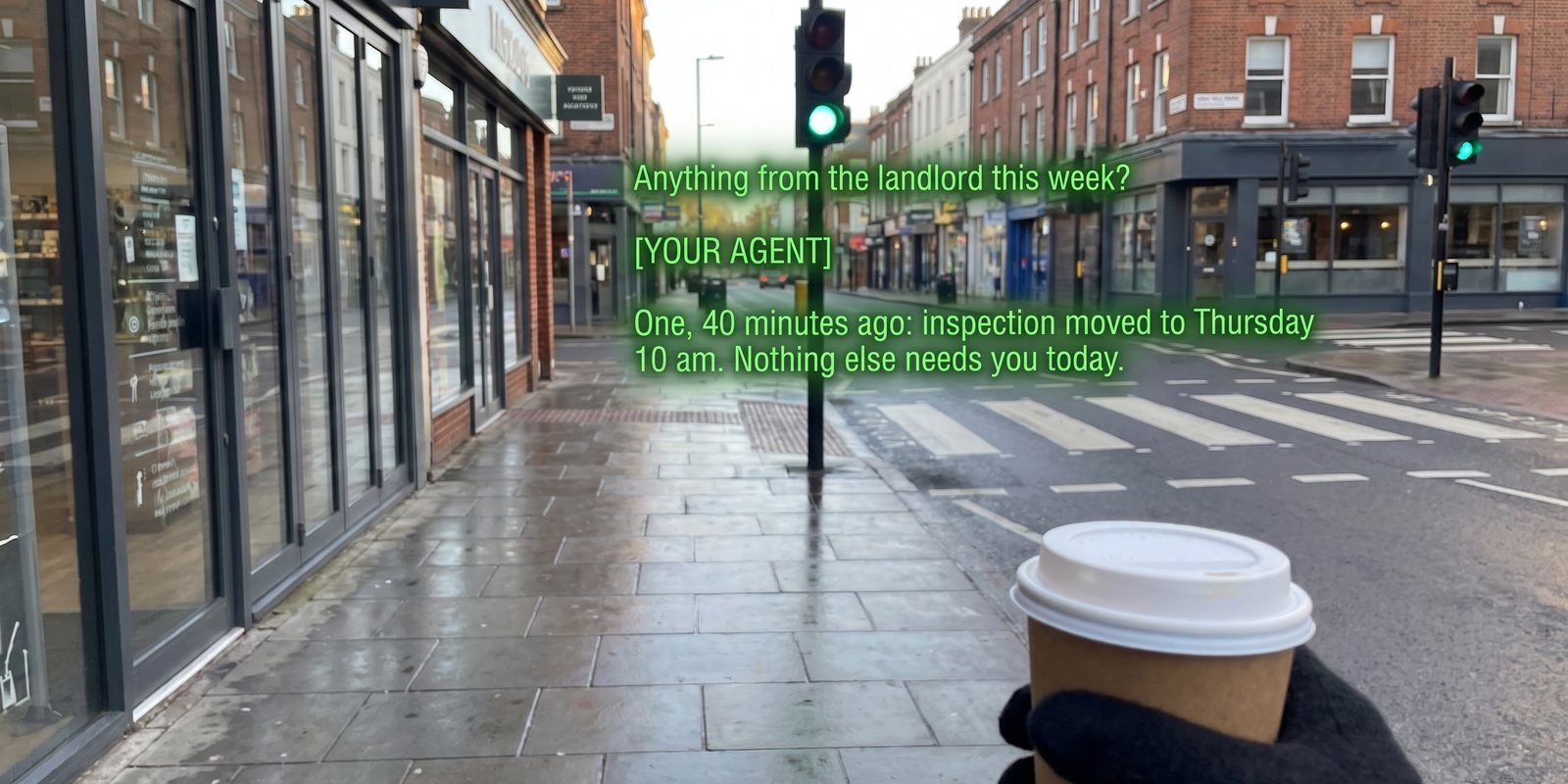
Illustration. The answer is your agent reading your actual mail.
- Ask about mail the way you would ask a person. “Anything urgent?”, “what did Dana say about the price?”, “has the contract come back signed?”, “find the booking reference for Friday”.
- From the Ask tab with your agent selected, or during a live session with the send-to-agent button. The reply lands on the lens as text.
- Writing is a separate decision. The server can send and reply too. Leave that off until you have added approvals (see meeting to CRM) so nothing goes out without a tap from you.
Set it up
- Agent connectedSettings → Connections → Your agent — Hermes or OpenClaw, green chip. A plain model cannot read mail; it has no tools.
- Make a Google OAuth client, onceGoogle Cloud Console → a project → APIs & Services → Credentials → OAuth client ID, type Desktop. Enable the Gmail API on the project. Copy the client ID and secret. This is the same step IRIS asks for when you switch on Drive exports, so you may already have one.
- Register the server with your agentFor Claude Code under OpenClaw:
export GOOGLE_OAUTH_CLIENT_ID="your-client-id"
export GOOGLE_OAUTH_CLIENT_SECRET="your-client-secret"
claude mcp add --transport stdio gworkspace -- uvx workspace-mcp --tools gmail
Then/mcpinside a Claude Code session to complete the browser sign-in. Addcalendarordriveto--toolsif you want those too. OpenClaw needsbundleMcp: trueto hand the tools through. Hermes users: its MCP section in the docs takes the same server. - Tell the agent how to answerA short standing instruction keeps replies lens-sized:
When I ask about my email, answer in at most two sentences: who, what, when.
Never read a whole message back to me unless I ask for it.
Do not send, reply, archive or delete anything unless I explicitly say so.
- Ask somethingAsk tab → toggle to your agent → “what came in from the school this week?”. The first answer takes a few seconds while the server fetches; after that it is quick.
Good to know
- Your mail never touches IRIS. The question goes to your agent, the agent reads Gmail on your machine, and only the answer comes back to the lens. IRIS stores neither.
- Scope is yours to set. Google asks which permissions to grant at sign-in; read-only is a real option and the right first step.
- Outlook and others work the same way through their own MCP servers — search the MCP registry for the one you use. The IRIS side does not change.
+
More recipes
Eight things IRIS can already do that most people have not switched on — four with your own agent, four with nothing but the phone.
Long jobs from the lensKick off a build, a report, a scrape — walk away — and the result appears on your lens.Meeting to CRMEach session goes to your agent as it ends; the agent updates the record and asks on your lens before emailing.Expert cues from your agentPoint a mode at an agent that knows your codebase, wiki or vault, and it comments live while you talk.Home Assistant as a bridgeNot just lights: scripts, scenes, automations and any web hook you wrap in one, from “Hey Even”.Reminders as triggers“Remind me at four” arrives as an email — and an email can become a phone alert, a task, or a webhook.Voice to-dos into TodoistA “remember to…” on the glasses lands in your Todoist or Google Tasks, and ticking it off there ticks it off in IRIS.Ask your documents by voiceAdd the PDF once. Then “Hey Even, what’s the notice period?” is answered from it, on the lens.All recipesThe index, with the spreadsheet guide and the agent guide.